Payment Setup Basics for Online Stores : For Beginners de
Why payment setup matters early
A lot of small store owners treat payment setup like a final switch they will flip right before launch. Add a payment method, test one order, done. The problem is that payment setup affects more than the checkout button. It affects trust, cash flow, refund handling, and how smooth the buying experience feels from the start.
For a new or small online store, shoppers are already making a quick trust decision. They are asking themselves whether the checkout feels safe, whether the payment options look familiar, and whether the store seems organized enough to handle an order properly. If the payment setup feels clunky or unclear, that doubt can show up fast.
The good news is that the first round of payment decisions does not need to be complicated. Most small stores do better when they keep it simple, choose a clean starting setup, and avoid adding payment options just because they exist.
What to decide before you turn payments on
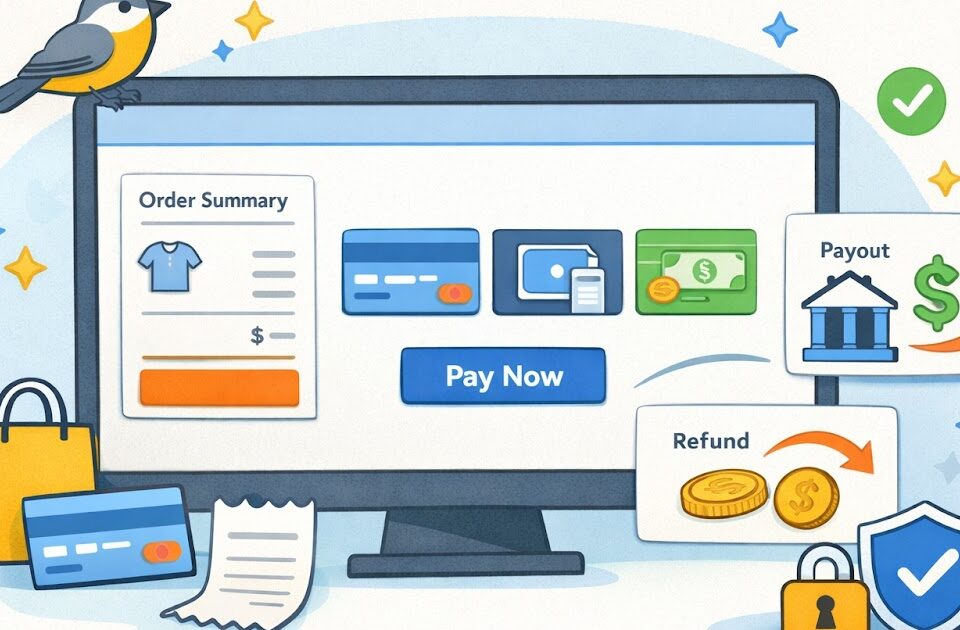
The first decision is which payment methods you actually need at launch. For many small stores, the best starting point is a familiar card-based checkout plus one or two widely used digital wallet options, depending on what the platform supports. The goal is not to offer everything. The goal is to cover the payment methods your customers are most likely to expect without making the checkout messy.
A clean setup often works better than a crowded one. If the checkout shows too many buttons, too many alternate paths, or confusing wording around payment choices, it can make the store feel less polished instead of more flexible.
The next thing to decide is how payments connect to your business operations. Make sure the payout account, business details, and refund process are all set up clearly. This part matters because payment issues are rarely just checkout issues. They turn into support issues quickly if the store owner is not sure how payouts, failed payments, or refunds are supposed to work.
It also helps to think through fees early. Payment processing costs are part of running the store, and they should be understood before pricing decisions feel locked in. You do not need to obsess over every small fee at the beginning, but you should know the general shape of what the store will pay and how that affects margins.
What to decide first
- Which payment methods to enable at launch
- Which account receives payouts
- How refunds will be handled
- What fees the store should expect
- Whether checkout will collect billing and shipping details in a clean way
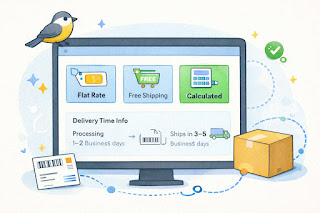
- How taxes, shipping charges, or discount codes appear before payment is submitted
That last point matters more than people think. A checkout that changes the total late in the process can make a shopper pause, even if the numbers are technically correct.
How to make checkout feel more trustworthy
A payment setup can be technically functional and still feel shaky to a customer. That is why the store should think beyond “does it work” and ask “does it feel safe and clear.”
One part of that is familiarity. When shoppers see payment methods they recognize, it lowers friction. Another part is visual clarity. The checkout should not look like a different website from the rest of the store. It should feel consistent, calm, and easy to understand.
A clean checkout usually shows the customer:
- what they are buying
- the subtotal
- shipping charges
- taxes when applicable
- the final total before payment
- a clear path to complete the order
It also helps to make refund and contact basics easy to find before the order is placed. A shopper does not always need to read the full policy, but they should feel that the store has thought through what happens if something goes wrong.
For a small store, clarity often does more for checkout trust than trying to look fancy. A clean order summary, a familiar payment flow, and straightforward support details can carry a lot of weight.
A simple example: imagine two small gift shops selling similar products. One has a checkout with clear totals, familiar payment choices, and easy-to-find help. The other has a cluttered checkout with surprise shipping charges, vague wording, and no obvious support path. Even if both stores sell good products, the second one will usually feel riskier.
Common payment setup mistakes to avoid
One common mistake is enabling too many options too early. More is not always better. If the store is still new, a smaller set of reliable payment methods is usually easier to manage and easier for customers to understand.
Another issue is forgetting to test the full checkout path. A payment option might appear active, but the real checkout experience could still have friction. The order summary may be unclear. The tax line may appear late. A wallet button may behave differently on mobile. These are small details that matter.
A third mistake is ignoring the refund side of the system. Founders often focus on getting paid, not on what happens when a customer needs money returned. But refund timing, communication, and process are all part of trust. If the store does not know how refunds work inside the chosen platform, support can get messy fast.
Common mistakes
- Turning on too many payment methods at once
- Not understanding processing fees well enough to price with confidence
- Skipping a full test order on desktop and mobile
- Hiding totals until too late in the checkout flow
- Making refunds feel unclear or inconsistent
- Using business details or support info that do not match the store brand
There is also the issue of treating payment setup as separate from the rest of the store. In reality, payment setup connects to shipping, taxes, returns, and customer support. If one part feels disconnected, checkout confidence can drop.
Another practical mistake is waiting until the last minute. Payment accounts sometimes need review steps, verification, or basic business details to be completed before everything works smoothly. Leaving that until launch week can create stress that is easy to avoid.
A quick payment setup checklist summary
Quick checklist
- [ ] The store has a simple set of payment methods enabled
- [ ] Payout details are connected correctly
- [ ] Processing fees are understood at a basic level
- [ ] The checkout shows totals clearly before payment
- [ ] Shipping and taxes appear in a way that feels predictable
- [ ] Refund steps are understood before launch
- [ ] A full test order has been completed
- [ ] The mobile checkout feels smooth
- [ ] Support or contact details are easy to find
- [ ] The checkout feels consistent with the rest of the store
If several of these points are still unclear, the payment setup probably needs another review before traffic starts hitting the store.
Keep checkout simple, then improve from there
A small online store does not need the most advanced payment stack on day one. It needs one that works cleanly, feels trustworthy, and does not create extra confusion for the owner or the customer.
That is why the best first move is usually to start simple. Choose a clean payment setup, make sure the totals are easy to understand, confirm the refund flow, and test the full path on your phone and your laptop. That covers more ground than adding every payment option available.
Later, once the store has real orders and real customer behavior to learn from, it becomes easier to decide whether another payment method or checkout adjustment is worth adding. Early on, simple often wins.
Gentle next step
Open your checkout settings and review them with one question in mind: would a first-time shopper understand how this payment flow works without second-guessing it? If not, simplify the options, test the full path, and make the totals clearer before launch. Sin estres. A trustworthy checkout usually starts with fewer decisions, not more.
FAQs
Q1. How many payment methods should a small online store offer at launch?
A1. Enough to cover the methods your customers are most likely to expect, but not so many that checkout becomes cluttered. For many small stores, a familiar card-based option plus one or two common digital payment methods is enough to start.
Q2. Should I set up refunds before launch?
A2. Yes. Even if you do not expect many returns, you should understand how refunds work in your platform before the store goes live.
Q3. Why do surprise charges hurt checkout so much?
A3. Because they break trust at the last step. A shopper who sees shipping, taxes, or other costs appear too late may pause or leave, even if the final price is still reasonable.
Q4. Is a more advanced payment setup always better?
A4. Not usually for a new small store. A clean, reliable setup that is easy to understand often works better than a more complex one with too many choices.